On this page
A bedroom that stays cold while the hallway thermostat reads warm is the moment a Nest temperature sensor earns its place, and the nest temperature sensor battery is the small cell that keeps it reporting. The sensor is a wireless puck that measures the room it sits in and tells the thermostat what the temperature is there, so the thermostat can heat or cool that room instead of the hallway. This guide covers what battery the sensor uses, how to tell it is low, how to swap it, and how long it lasts, using battery figures from backup listings where a number is needed.
SolarKitHQ earns a commission when you buy through links on this page, at no extra cost to you. As an Amazon Associate I earn from qualifying purchases. Affiliate disclosure.
The quick answer
The Nest temperature sensor runs on a CR2 lithium cell. When the cell runs low, the sensor stops reporting and the app shows a low-battery warning. Twist the sensor open, swap the old CR2 cell for a new one, and the sensor reconnects on its own. Keep a spare CR2 cell on hand, so a low-battery warning does not leave the room unmeasured.
Step 1: Find the sensor and check the warning
The sensor is a small round puck that sits on a shelf or hangs on a wall in the room it measures, paired with the thermostat. When its battery runs low, the app shows a low-battery warning for that sensor, and the sensor may stop reporting the room temperature. The thermostat then falls back to its own reading, so the room the sensor watches is no longer the room that decides when the heat or cooling runs. Check the app first: if the sensor shows a low-battery warning or has gone silent, the cell is the place to look.
Step 2: Check the battery type
The Nest temperature sensor uses a CR2 3V lithium cell, a short cylindrical cell that fits the sensor’s battery compartment. Use a non-rechargeable CR2 lithium cell, as the sensor is built for that type, and check the orientation marks inside the compartment before the old cell comes out. Do not force a different cell size into the compartment: a cell that does not fit the compartment will not sit against the contacts. The sensor has no plug and no charging port, so the cell is its only power source.
Step 3: Swap the battery
Twist the back of the sensor to open the battery compartment, and lift the old CR2 cell out. Note which way the old cell faces, then place the new CR2 cell in the same way, matching the marks inside the compartment. Close the sensor and put it back where it was. The sensor reconnects on its own and starts reporting the room temperature again. Battery swaps are a normal part of backup gear, and the sensor follows the same idea at a smaller scale.
Step 4: Check that the sensor is reporting again
Give the sensor a moment after the swap, then check the app: the room temperature should show again, and the low-battery warning should be gone. If the sensor still does not report, open it again and check the cell orientation and the contacts, then close it and check the app again. If it still stays silent, remove the sensor from the app and pair it again. A fresh cell that does not fix the problem points to the sensor or the connection, not the battery.
Battery types: single-use cells and rechargeable packs
The sensor uses a single-use CR2 cell, which is replaced when it runs out. Larger backup gear uses rechargeable packs instead: a GOLDENMATE listing states its LiFePO4 pack gives more than 5000 charge cycles and a lifespan of over 10 years, and CyberPower and APC listings here state a 3-year warranty, including the battery. The two kinds of battery answer different needs: a small cell that runs a sensor for a long stretch, and a pack that can be charged again and again. See the LiFePO4 battery life guide for how long those packs last.
| Reference UPS | Capacity | Outlets |
|---|---|---|
| CyberPower CP1500PFCLCD | 1500VA, 1000W | 12 |
| APC BE600M1 | 600VA, 330W | 7 |
| CyberPower ST425 | 425VA, 260W | 8 |
| GOLDENMATE 1000VA | 1000VA, 600W | 8 |
How long the nest temperature sensor battery lasts
The cell lasts up to 2 years in typical use. Cold rooms, frequent temperature swings and an old cell all shorten that stretch, so a sensor in a cold spare room may need a new cell sooner than one in a lived-in bedroom. Runtime always depends on load: an APC listing states 23 minutes of runtime at a 100W load for one UPS, and 22 minutes at the same load for another, so the same battery gives different runtimes on different loads. Keep a spare CR2 cell on hand, and swap the cell at the first low-battery warning rather than waiting for the sensor to go silent.
Ways to make the battery last longer
- Place the sensor where the temperature is stable, away from drafts, direct sun and exterior doors.
- Leave the sensor in place once it is paired, so it does not spend power rejoining the network.
- Keep a spare CR2 cell on hand, so a low-battery warning does not leave the room unmeasured.
- Check the app for the low-battery warning instead of waiting for the sensor to go silent. See the battery temperature sensor guide for how these sensors work.
FAQ: power away from the grid
What battery does a Nest temperature sensor use?
A CR2 3V lithium cell. Use a non-rechargeable CR2 cell, as the sensor is built for that type, and check the orientation marks inside the compartment.
How long does the battery last?
Up to 2 years in typical use. Cold rooms and frequent temperature swings shorten that stretch, so a sensor in a cold room may need a new cell sooner.
How do I know the battery is low?
The app shows a low-battery warning for the sensor, and the sensor may stop reporting the room temperature. Check the app first when a room stops following the thermostat.
What if the sensor still does not report after a new battery?
Open the sensor again and check the cell orientation and the contacts, then close it and check the app. If it still stays silent, remove the sensor from the app and pair it again.
Related solar guides
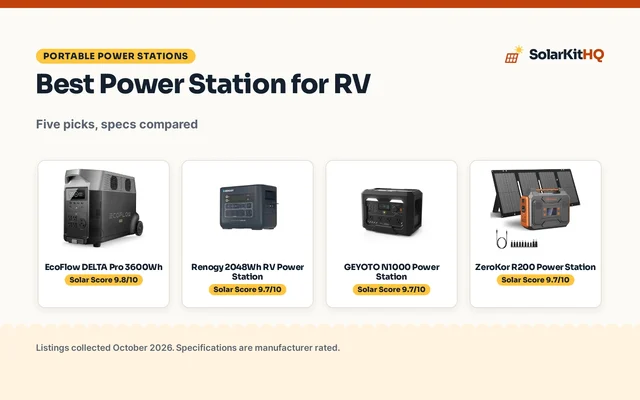
See the battery temperature sensor guide, the LiFePO4 battery life guide, the solar generator vs UPS guide and the power stations guides.